Shopify 5-Step Visual Setup Guide
Follow these 5 easy steps with screenshots to paste your RankSleep SEO code into your Shopify store. Once saved, our autonomous agent runs 24/7 on daily autopilot.
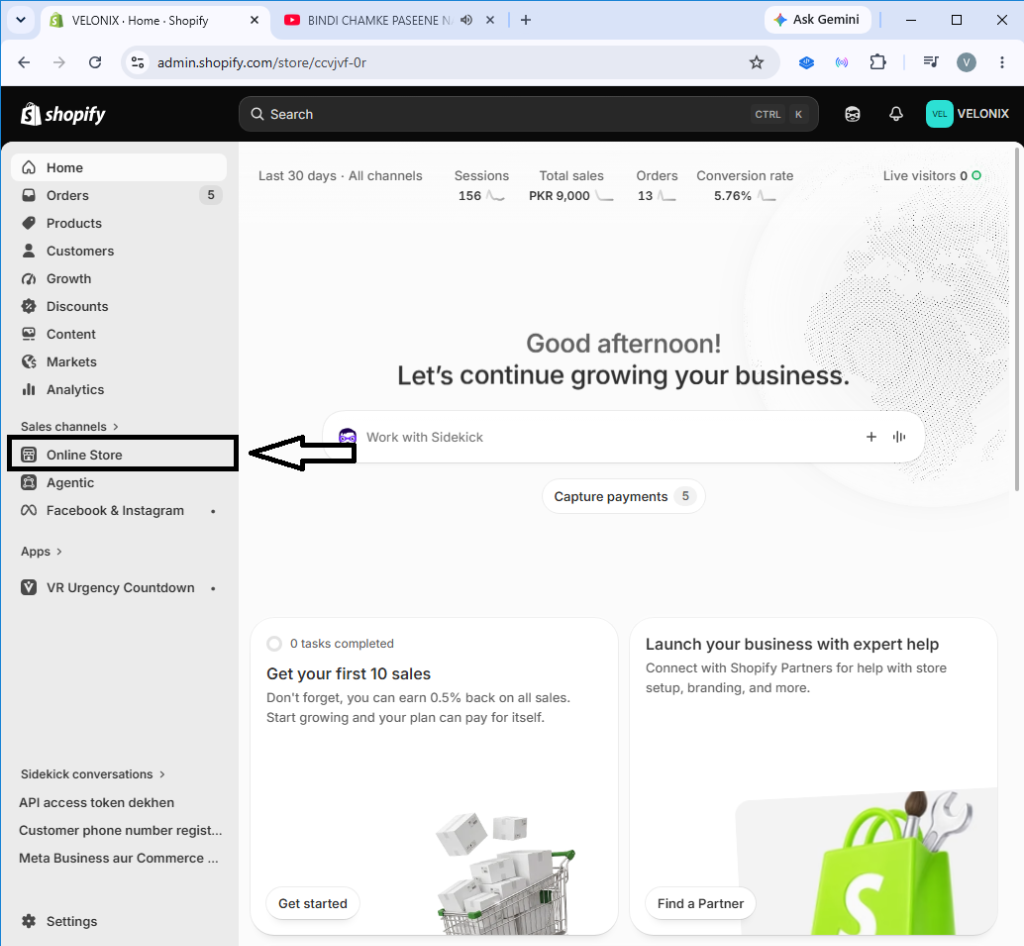
Step 1: Open "Online Store" in Shopify Admin
In your Shopify Admin dashboard, navigate to the left sidebar menu and click on Online Store (under the Sales channels section).
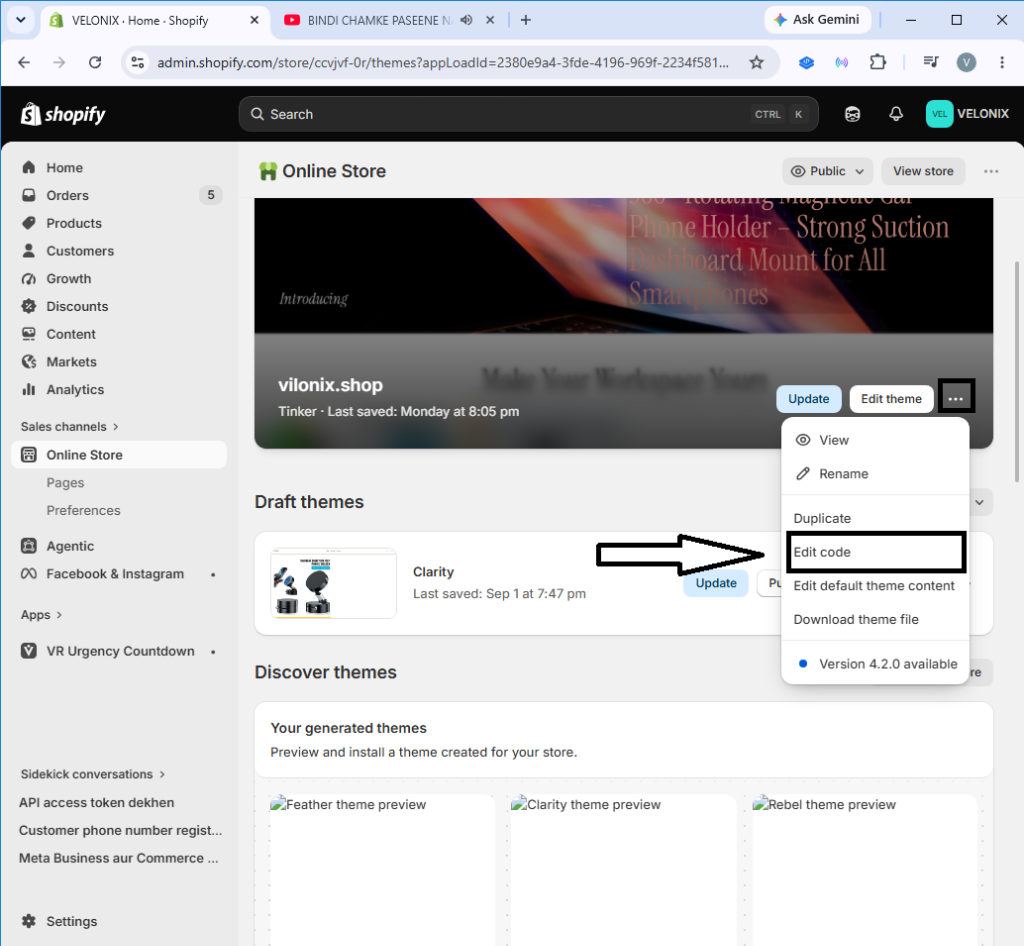
Step 2: Click the Three Dots (...) & Select "Edit code"
Next to your active live theme, click on the three dots (...) button to open the menu, then select Edit code from the dropdown options.
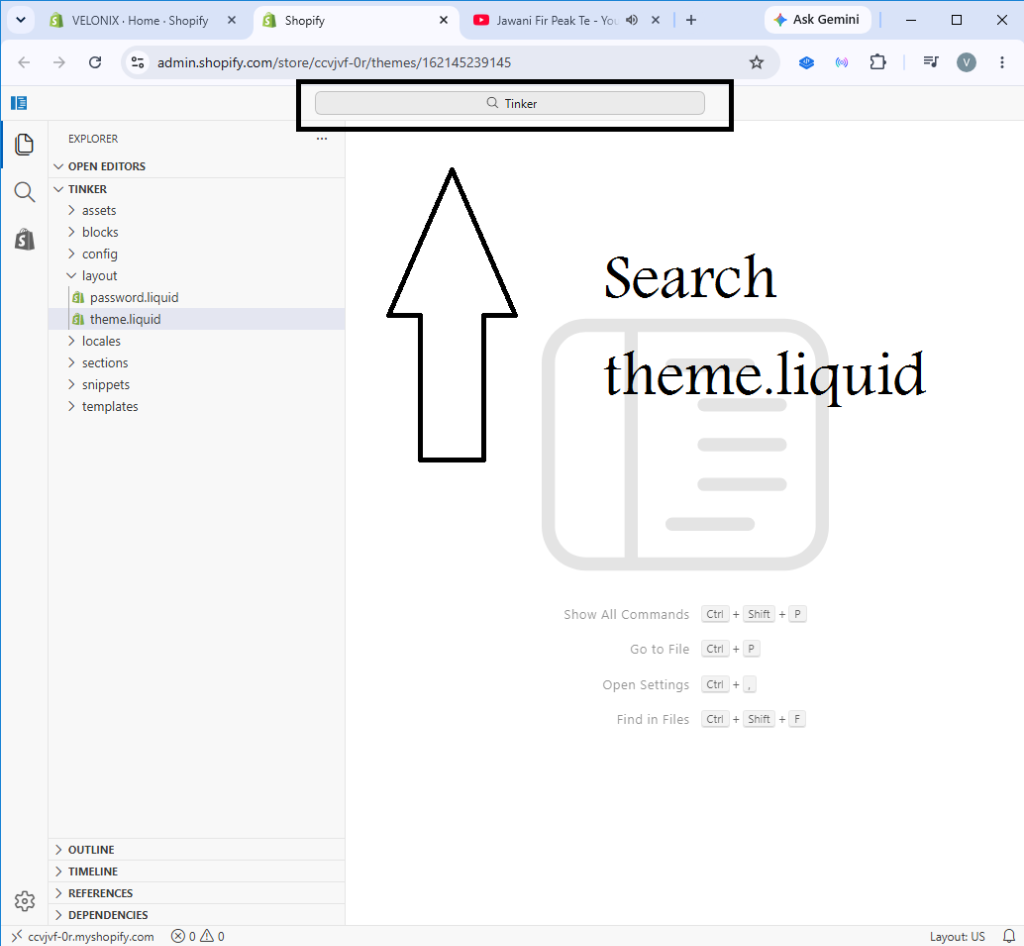
Step 3: Search for "theme.liquid"
In the top search bar inside the code editor, type: theme.liquid
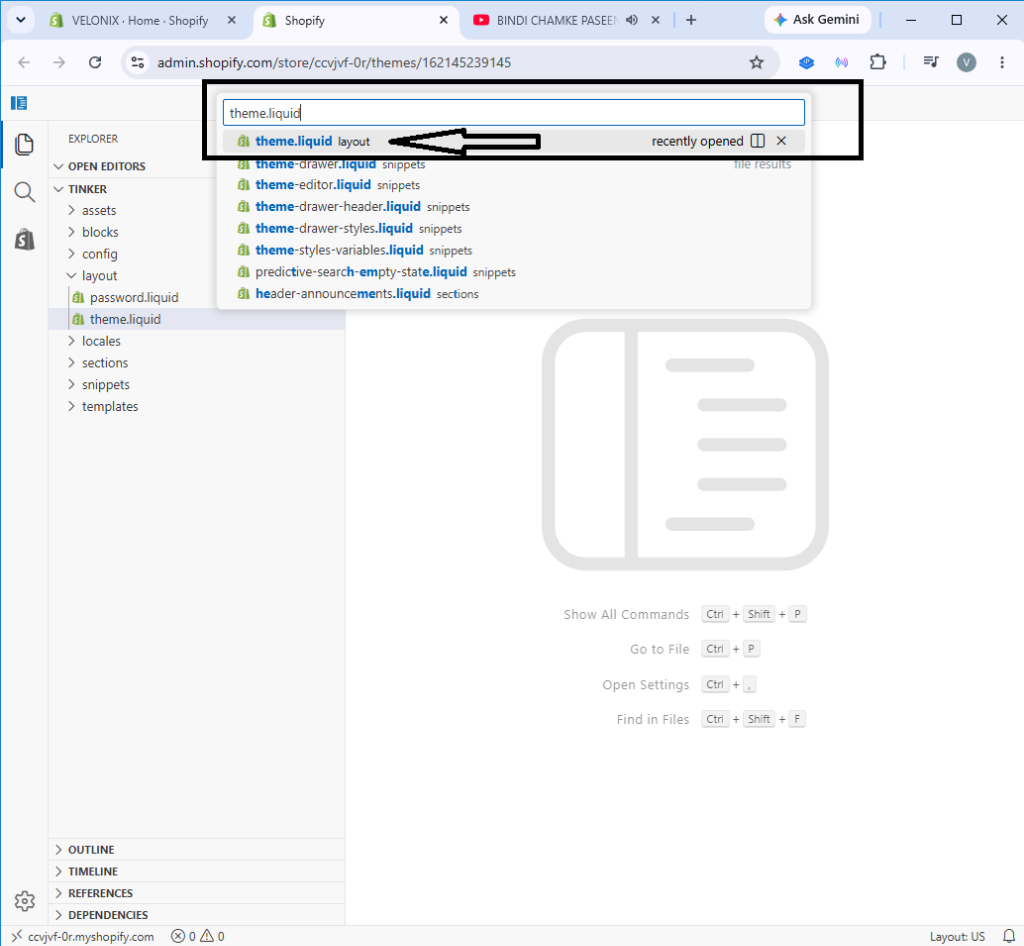
Step 4: Select "theme.liquid" from Search Results
Click on the theme.liquid (layout) file from the search dropdown results to open the file in the editor window.
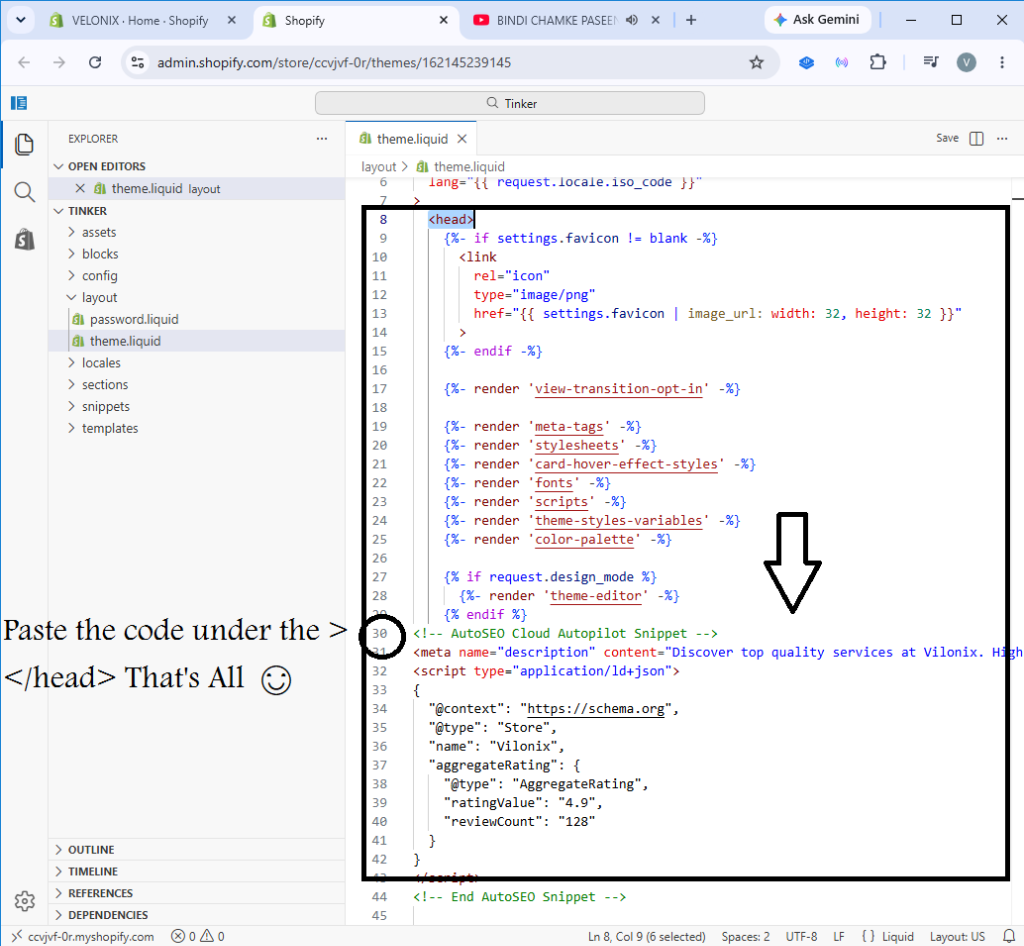
Step 5: Paste the Code & Click "Save" — That's All!
Final Step
Paste your copied RankSleep SEO snippet right under the <head> tag (or right above </head>), then click the blue Save button in the top right.
Finished Pasting the Snippet?
Return to the RankSleep SEO dashboard and click "Verify & Re-Scan" to watch your store jump to 90+ SEO health score in real-time!