WordPress 5-Step Visual Setup Guide
Follow these 5 straightforward steps to install the RankSleep SEO helper plugin on your WordPress website. Install once, and our autonomous agent continuously optimizes your rankings 24/7.
Step 1: Download the RankSleep Helper Plugin
Inside your RankSleep SEO dashboard modal, switch to the WordPress tab and click the blue "Download WP Helper Plugin (.zip)" button to save the file to your computer.

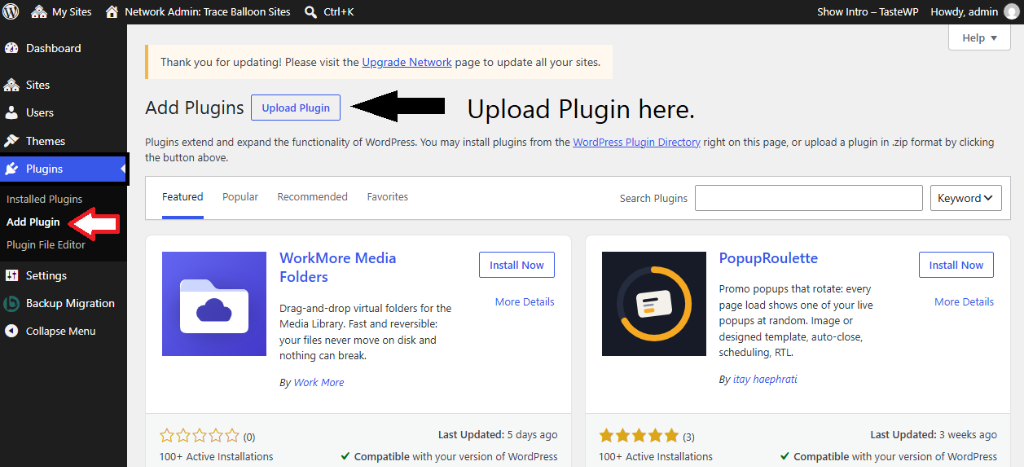
Step 2: Go to Plugins → Add Plugin → Upload Plugin
Log in to your WordPress Admin Dashboard. In the left navigation menu, click on Plugins → Add Plugin, then click the "Upload Plugin" button at the top.
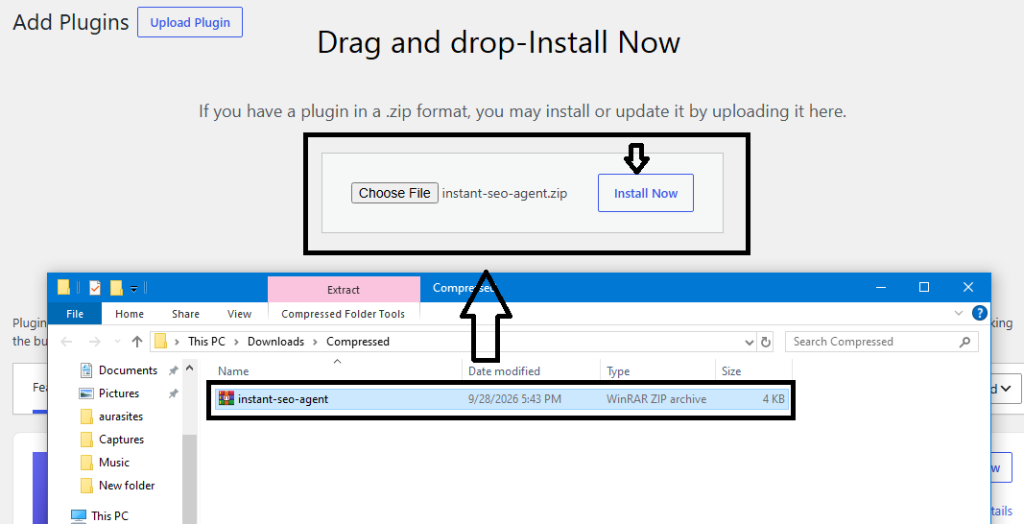
Step 3: Choose `instant-seo-agent.zip` & Click "Install Now"
Click "Choose File", select the downloaded instant-seo-agent.zip file from your computer, and click the blue "Install Now" button.
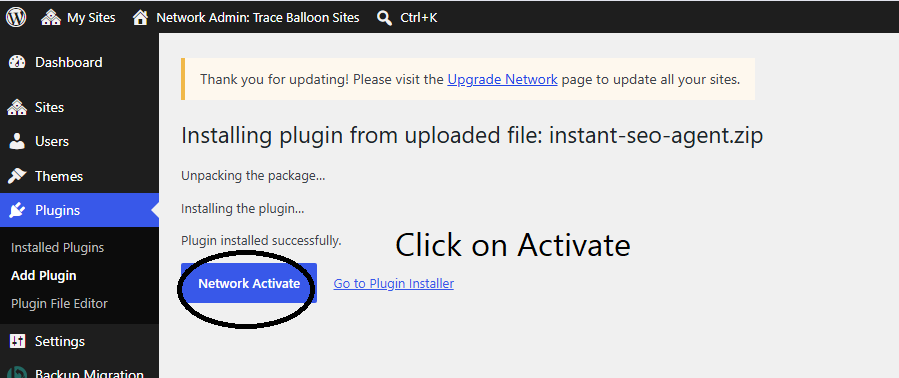
Step 4: Click "Activate Plugin"
WordPress will unpack and install the plugin automatically. On the completion screen, simply click the blue "Activate Plugin" (or "Network Activate") button.
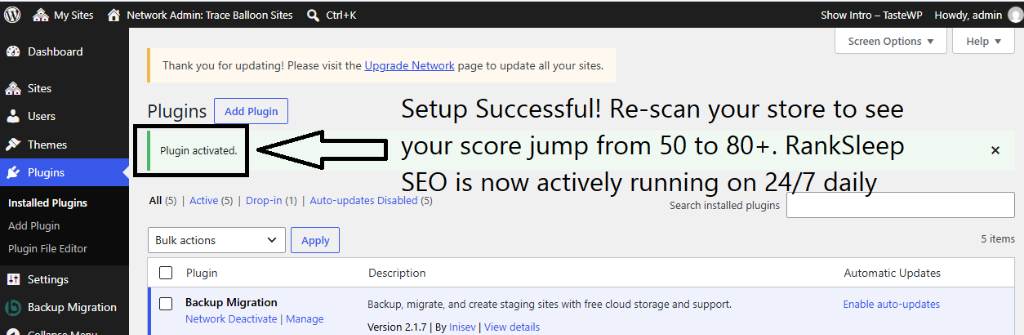
Step 5: Setup Successful! Re-Scan to See Your Score Jump
Live AutopilotYou will see the "Plugin activated" confirmation banner. RankSleep SEO is now active 24/7 on daily autopilot. Re-scan your site on the dashboard to watch your score surge from 50 to 80+!
Plugin Activated Successfully?
Return to the RankSleep SEO dashboard and click "Scan Free" to verify your 80+ to 95+ SEO health score in real-time!